
User guide › Customers and debts
Customers and debts
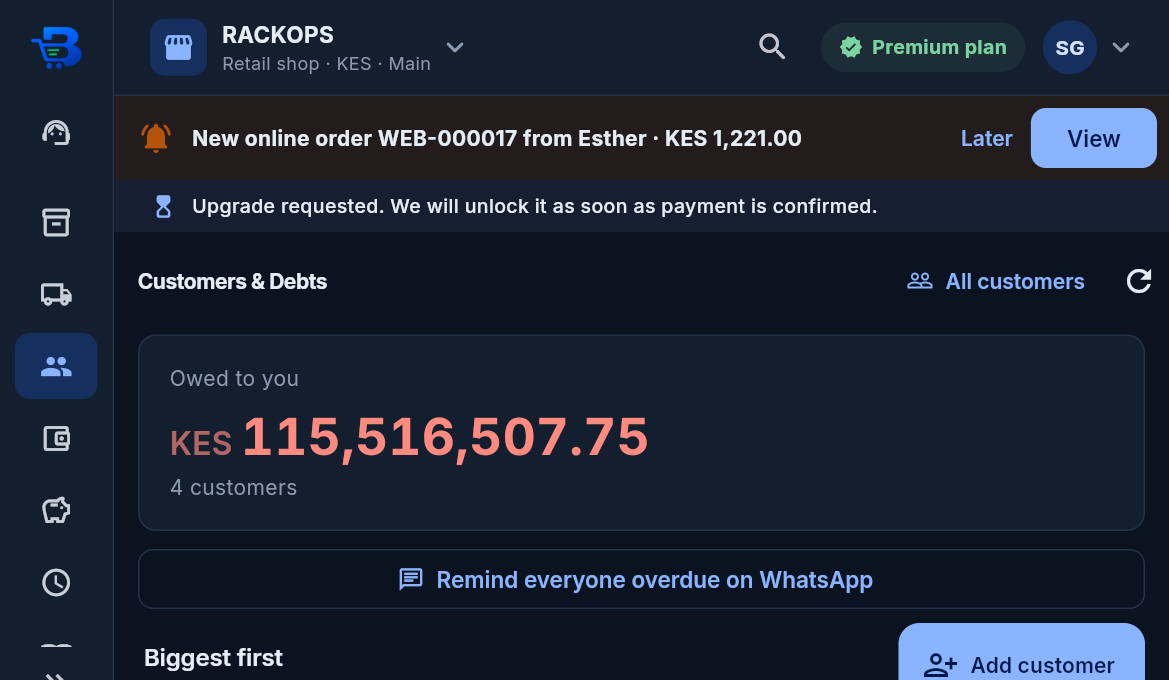
- Credit sales: sell on credit to a customer, with an optional credit limit. Customers & Debts shows who owes what.
- Payments: record a payment, or send an M-Pesa prompt for the debt. When the customer pays, the debt goes down by itself.
-
Automatic matching: money a customer sends to your till counts against their debt automatically. This happens
when:
- it comes from their own number, or they used their number as the paybill account; and
- no sale used the payment within 10 minutes. The owner can switch this off in Integrations > M-Pesa.
-
WhatsApp reminders: no setup, no API keys.
- Remind on WhatsApp opens WhatsApp with the amount and message ready, sent from your own number.
- Remind everyone overdue on WhatsApp goes through everyone who has owed for 3 days or more, one tap each.
- SMS: on a phone, the SMS app opens with the message ready. Automatic texts work once the BlueDuka team has switched on its SMS account.
-
Bringing your customers in (Customers & Debts > All customers > Import): an Excel (.xlsx) or CSV file
with a Name column, and if you have them Phone, Email, KRA PIN, Owes, Credit limit and Notes.
- The file is checked first; nothing is saved until you press Import, and then every row is saved together.
- "Owes" is what the customer owed before you started with BlueDuka (their opening balance), dated on the day you choose. It shows in their balance, debts, statements and reminders and is paid off like any debt, but it is not a sale: it is left out of sales figures and eTIMS. In the books it is "Opening balances".
- A customer already in BlueDuka (same phone, or same name) is updated. An opening balance is recorded once per customer, so importing the same file twice never doubles a debt.
← Till shifts · All topics · Stock and purchases →
Download the whole guide (PDF)
Need help? Call or WhatsApp the BlueDuka team on +254 727 177 155.